Controls
- W / Up Arrow: Accelerate.
- S / Down Arrow: Brake or reverse.
- A / D or Left / Right Arrow: Steer left or right.
- Shift: Drift.
- Spacebar: Use the handbrake.
- R: Reset your car's position.
- C: Change the camera angle.

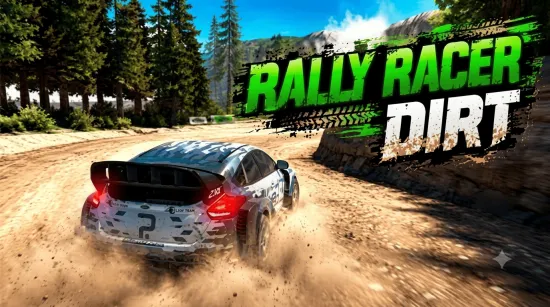

Top Speed 3D! This exciting 3D driving game lets you take control of powerful supercars and explore a vast world without the pressure of timers or racing restrictions. Speed through city streets, test your limits on open roads, pull off stylish drifts, and launch your car off daring ramps.
Make your ride truly yours by customizing its appearance and performance. Change the paint color, upgrade the wheels, adjust the suspension, fine-tune the handling, and boost engine power to match your driving style. Whether you love high-speed runs or precise drifting, there is always something new to try behind the wheel.
What Is Top Speed 3D?
Top Speed 3D is a free-roaming car driving simulator that combines vibrant 3D environments with physics-based vehicle handling. Instead of competing to finish a race, you are free to explore at your own pace and decide how to spend your time. Cruise around the map, practice your driving skills, perform spectacular jumps, or see how fast your supercar can go.
With different environments to discover and plenty of vehicle settings to experiment with, every drive can feel different. Push the accelerator, master tight turns, and find the perfect balance between speed and control.
Explore Different Driving Environments
Take your supercar across a variety of areas, each offering a different way to enjoy the open-road experience.
- Modern City: Cruise through urban streets, practice sharp turns, and show off your drifting skills as you explore the city.
- Industrial Zone: Navigate challenging terrain and sharpen your control while experimenting with different driving techniques.
- Speed Test Track: Focus on acceleration, build up momentum, and push your car toward its maximum speed.
There are no mandatory laps to complete or countdowns to beat. Take your time learning each area, discover interesting routes, and create your own driving challenges.
Customize Your Dream Supercar
A great driving experience starts with a car that suits your style. Top Speed 3D gives you the freedom to personalize your vehicle and experiment with different performance settings.
- Paint Color: Give your supercar a look that stands out on the road.
- Wheels: Customize your car's appearance with different wheel options.
- Suspension: Adjust your setup to suit your preferred driving experience.
- Handling: Fine-tune how your car responds to steering and sharp corners.
- Engine Power: Improve performance and enjoy thrilling high-speed drives.
Try different combinations to find a setup that works for cruising, drifting, or straight-line speed runs. The right adjustments can make every trip more enjoyable.
How to Play Top Speed 3D
Starting your driving adventure is simple. Choose your car, get familiar with the controls, and hit the road. Accelerate along open stretches, steer carefully through turns, and use the handbrake to initiate drifts. When you find a ramp or a suitable open area, build up speed and see what your car can do.
New players can use the driving assistant to get comfortable with the controls before attempting more advanced maneuvers. Your progress is saved automatically, so you can return to your driving adventures later.
Top Speed 3D Controls
Use the following keyboard controls to drive your car:
- W / Up Arrow: Accelerate.
- S / Down Arrow: Brake or reverse.
- A / D or Left / Right Arrow: Steer left or right.
- Shift: Drift.
- Spacebar: Use the handbrake.
- R: Reset your car's position.
- C: Change the camera angle.
Tips for Better Driving
- Build speed gradually: Use long, open stretches to accelerate before attempting difficult maneuvers.
- Practice drifting: Try using Shift and the steering keys together to learn how your car slides through corners.
- Adjust your setup: Experiment with handling and suspension to find a configuration that matches your driving style.
- Explore every area: Different environments provide opportunities to practice precision driving, drifting, and acceleration.
- Try different camera angles: Use C to find a view that helps you control your car more comfortably.
- Reset when necessary: Press R if your vehicle ends up in an awkward position and you want to get back on track.
Why Play Top Speed 3D?
If you enjoy supercars, open-world driving, and the thrill of pushing a vehicle to its limits, Top Speed 3D is a great game to try. Its combination of free driving, customizable cars, drifting mechanics, and varied environments gives you plenty of freedom to play your way.
Forget the pressure of finishing first and focus on what makes driving fun. Explore the map, perfect your drifts, experiment with car settings, and chase your own speed records. Start your engine and discover how far you can push your driving skills in Top Speed 3D!
Frequently Asked Questions
What is Top Speed 3D?
Top Speed 3D is a 3D car driving simulator where you can drive supercars, customize vehicles, explore different environments, drift, and test your top speed.
Can you customize cars in Top Speed 3D?
Yes. You can personalize several aspects of your car, including its color, wheels, suspension, handling, and engine power.
Does Top Speed 3D have a time limit?
The game focuses on free driving rather than timed races or lap-based competition, allowing you to explore and practice at your own pace.
How do you drift in Top Speed 3D?
Use the Shift key to drift, then combine it with the steering controls to guide your car through turns. Practice in open areas to become more comfortable with the vehicle's handling.
How do you change the camera in Top Speed 3D?
Press C to switch camera angles and choose the view that works best for your driving style.